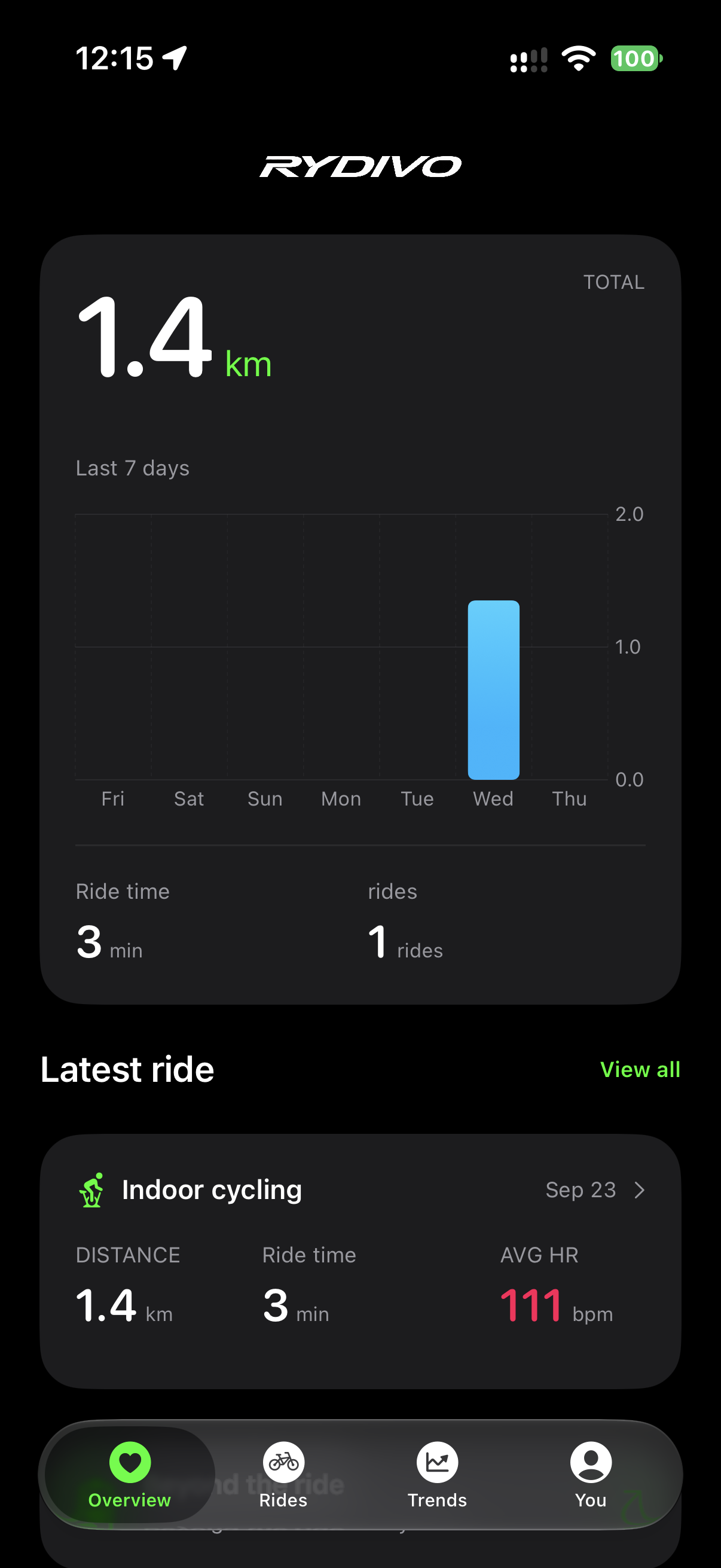
The whole ride, together.
Distance, time, speed, heart rate, cadence, power and your route, when recorded. A clear journal makes it easier to revisit the days that mattered.
A little more joy in every ride
Understand the ride on iPhone. Turn it into a story on Mac. Bring your own footage and ride data together, then make room for the next ride.
iPhone Rydivo Studio
01 / Rydivo for iPhone
Some rides feel easy. Others take everything. See what happened, how you are changing, and what your history can actually tell you.
Apple Health · On-device analysis · No Rydivo accountDistance, time, speed, heart rate, cadence, power and your route, when recorded. A clear journal makes it easier to revisit the days that mattered.
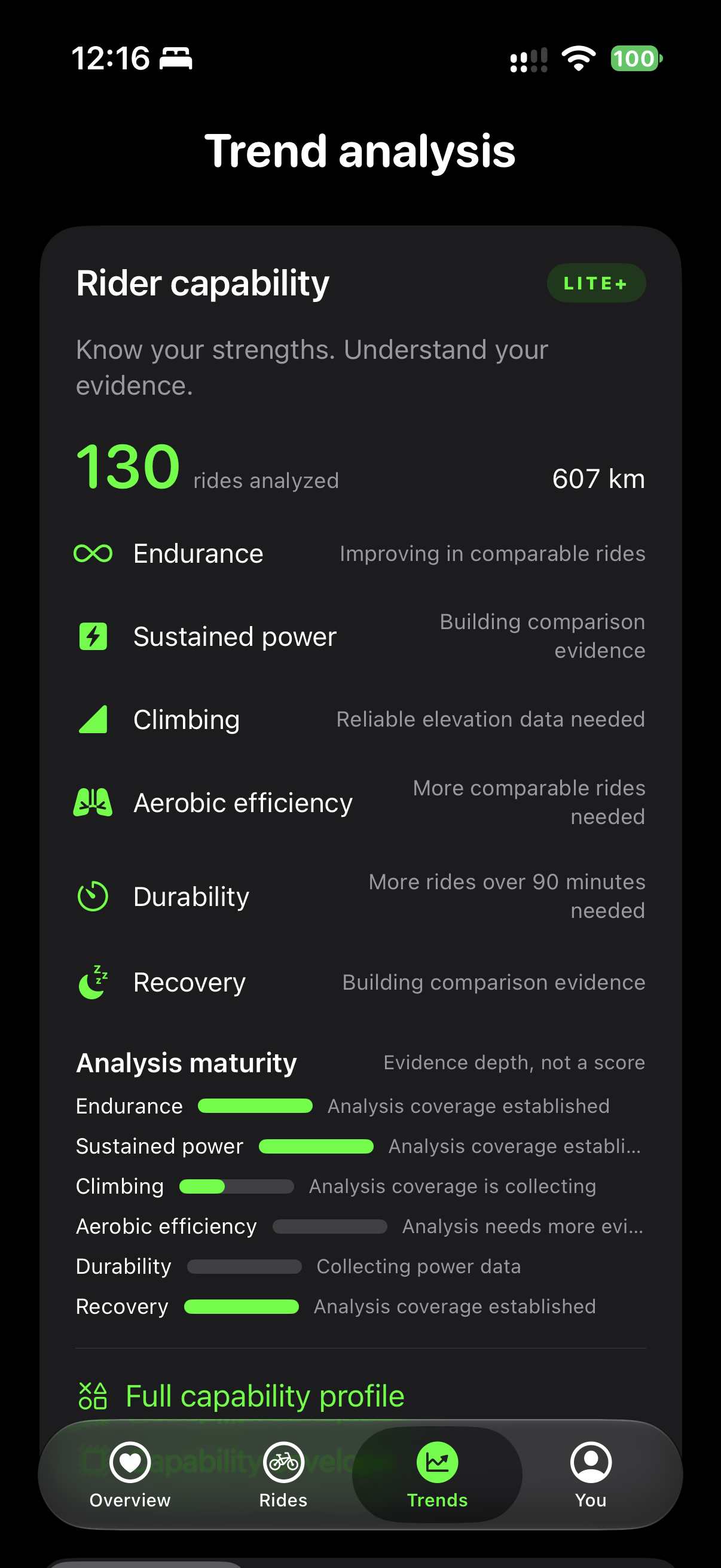
Compare your capability over 30, 90 and 180 days. Explore climbing, durability and physiological response, with data quality and the rides behind each observation.
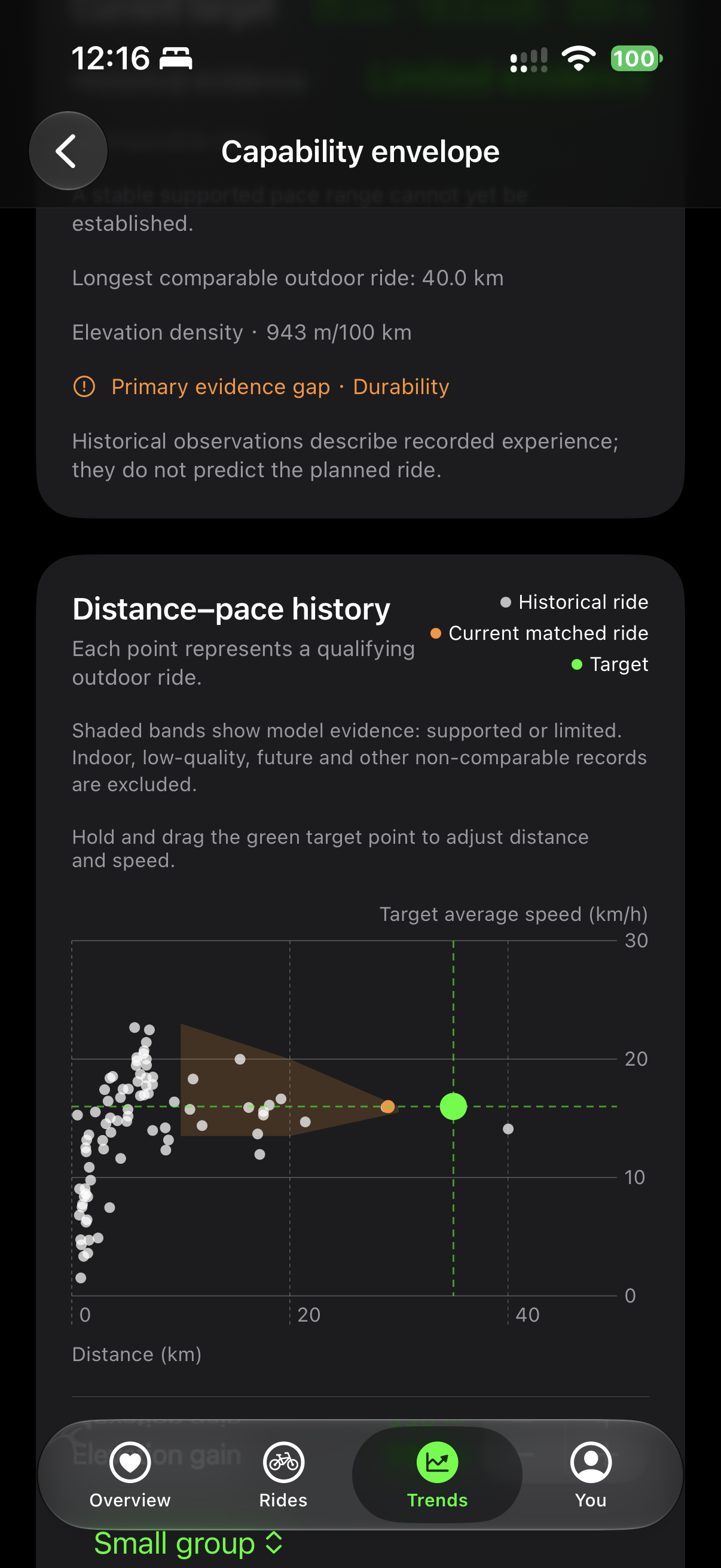
Explore distance, target pace and ascent against your outdoor ride history in the Capability Envelope. See where the evidence is strong, still building, or missing.
Rider State and recovery observations bring recent activity into view. Advanced analysis adds a post-ride timeline to help you understand your response to effort.
Fitting uses your selected posture footage for local analysis and adjustment guidance. Keep an eye on how you sit and move on the bike.
Rydivo shows the rides and data supporting an observation. It leaves a gap when there is not enough evidence, rather than inventing a score or predicting your next result.
AirDrop / RYD
Send an individual ride to Mac with AirDrop, or use Lite and above for paired local batch sync. Studio aligns the data with your own video.
02 / Rydivo Studio for macOS
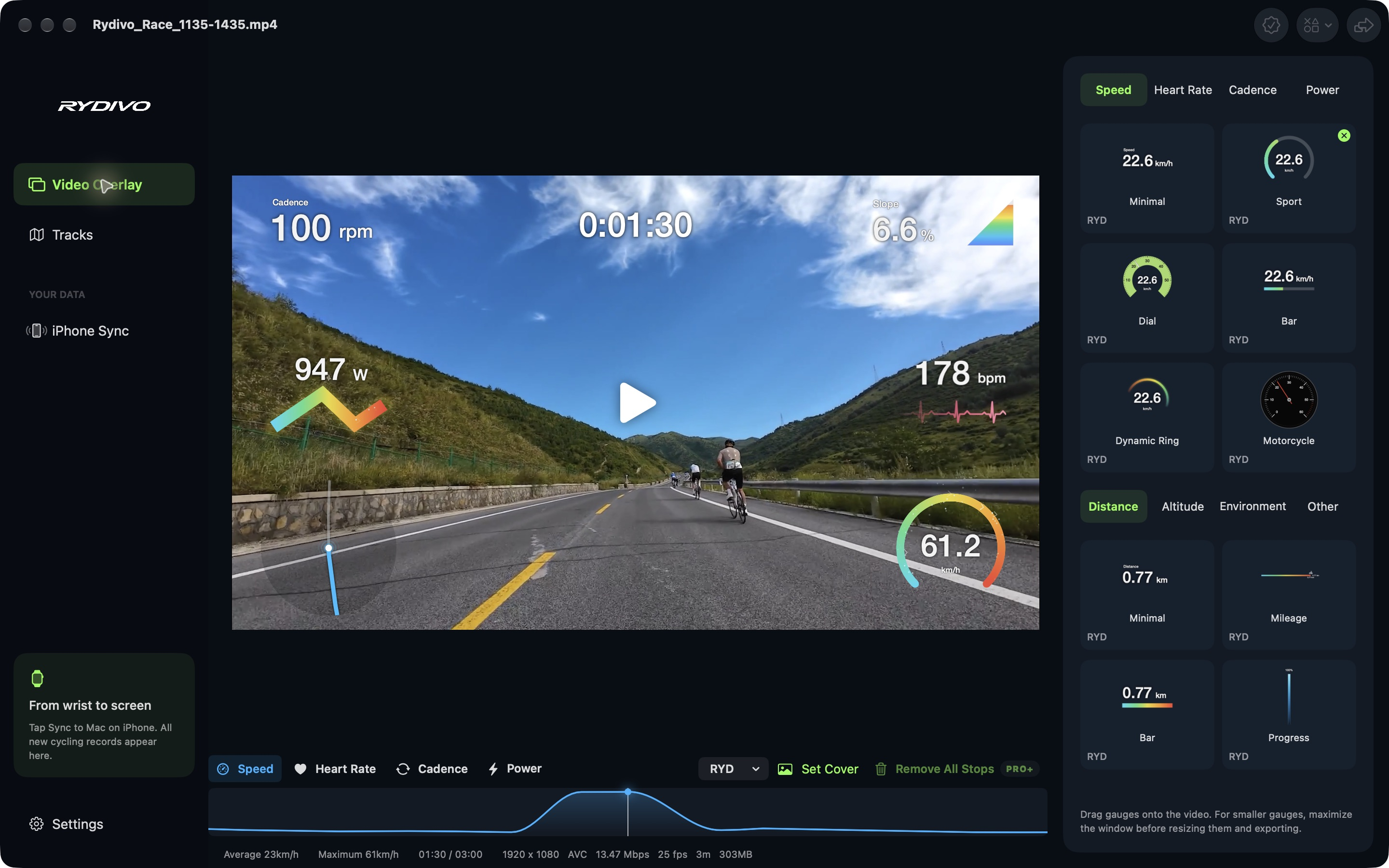
The road is in your footage. The effort is in your data. Bring them together in a video that feels like the ride you remember.
Your footage · Your telemetry · Made on your MacImport your own video and GPX, TCX, FIT or RYD data. Use a file from your bike computer or a ride shared from iPhone. Manual file import is available for free.
Add speed, heart rate, cadence, power, distance or altitude gauges when your source includes those metrics. Arrange them over your footage and align the timing.
Review detected stops, then remove individual stops or all stop segments with Pro and above. Correct drift in an imported GPX by shifting the route and saving a corrected copy.
Export MP4 in HEVC or H.264 at the original resolution and frame rate, including 4K. Free and Lite keep a Rydivo watermark; Pro and above remove it and support queued exports.
Pro and above combine up to three sources of different types, choose a source for each gauge and fill gaps from another source. Follow your GPS track and elevation alongside the video.
Choose a frame with your gauges or upload an image for the video cover. Studio exports the cover with your video and saves a separate JPEG.
Mac receives workout data you send from iPhone; it does not read your Apple Health library directly. Both apps must be open on the same local network for paired sync. You can also work independently with video and imported telemetry files.
You do not need to be a racer to enjoy getting stronger. Start with the device you have, and make room for the parts of riding you love.
On iPhone, bring your rides, progress and recovery into focus. Find useful context in the data you already record.
On Mac, pair your ride footage with the data behind it. Turn a climb, a commute or a day out into something worth sharing.
On TV, give indoor riding a purpose with an FTP test, structured effort or a scenic route.
On Vision Pro, explore the idea of riding inside a panoramic landscape, with movement and resistance connected to your effort.
Send a saved Apple TV ride summary to iPhone after pairing. Android TV and Vision Pro keep their histories independently on the device.
No Rydivo account. No training-data cloud to sign up for. Your ride records and analysis stay local; you decide when to share or transfer them.
A few things you might want to know